# Contact Tracking - pageview doesn't work
**URL:** https://forum.mautic.org/t/contact-tracking-pageview-doesnt-work/36246
**Category:** Product Support
**Created:** [August 2, 2025, 1:47pm UTC](https://forum.mautic.org/t/contact-tracking-pageview-doesnt-work/36246 "2025-08-02T13:47:08Z")
**Posts on this page:** 2
**Page:** 1
### Author:  [@and\_g](https://forum.mautic.org/u/and_g)
#### Post date: [August 2, 2025, 1:47pm UTC](https://forum.mautic.org/t/contact-tracking-pageview-doesnt-work/36246/1 "2025-08-02T13:47:08Z")
**Your software**
My Mautic version is: 6.0.0
My PHP version is: 8.3.22
My Database type and version is: MariaDB 11.4.7
**Your problem**
I want to track pageviews and custom events for my existing contacts, but no events are recorded in the system.
I tried to use the script like this:
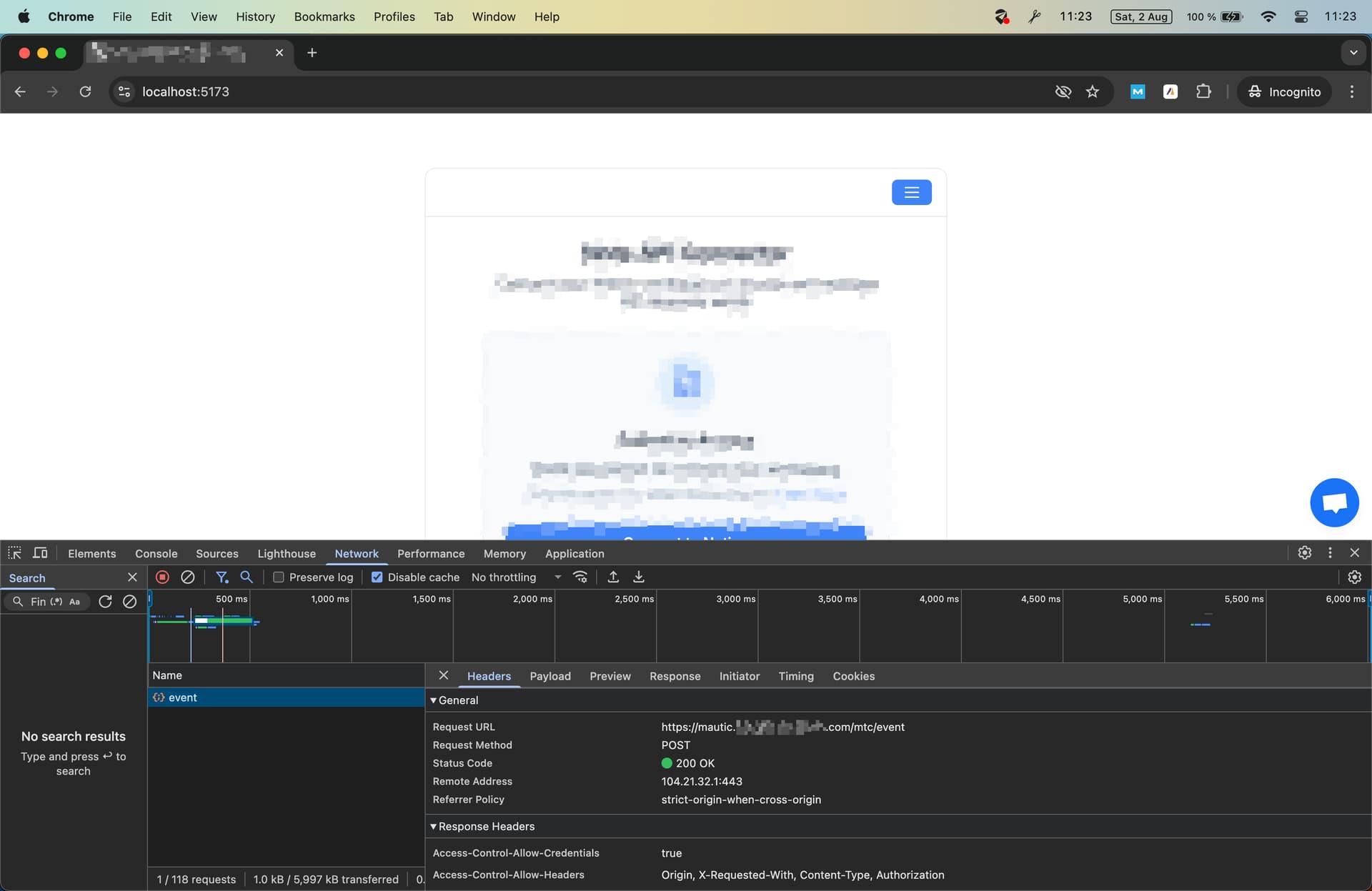
I can see in network tab the POST event was send succesfully. I also tried incognito mode. If I check my contact there is no page view event.


---
### Author:  [@and\_g](https://forum.mautic.org/u/and_g)
#### Post date: [August 3, 2025, 1:03pm UTC](https://forum.mautic.org/t/contact-tracking-pageview-doesnt-work/36246/2 "2025-08-03T13:03:27Z")
I don’t know why the code snippet is missing and I cannot edit my question, it’s here:
I tried this:
window.mt(‘send’, ‘pageview’, {
email: ‘john@example.com’,
firstname: ‘John’,
lastname: ‘Doe’
})
and also this:
window.mt(‘identify’, {
email: ‘john@example.com’,
firstname: ‘John’,
lastname: ‘Doe’
})
window.mt(‘send’, ‘pageview’)